
1 . To create a project in the Eturnity heating expert, click on the green + button at the bottom right.
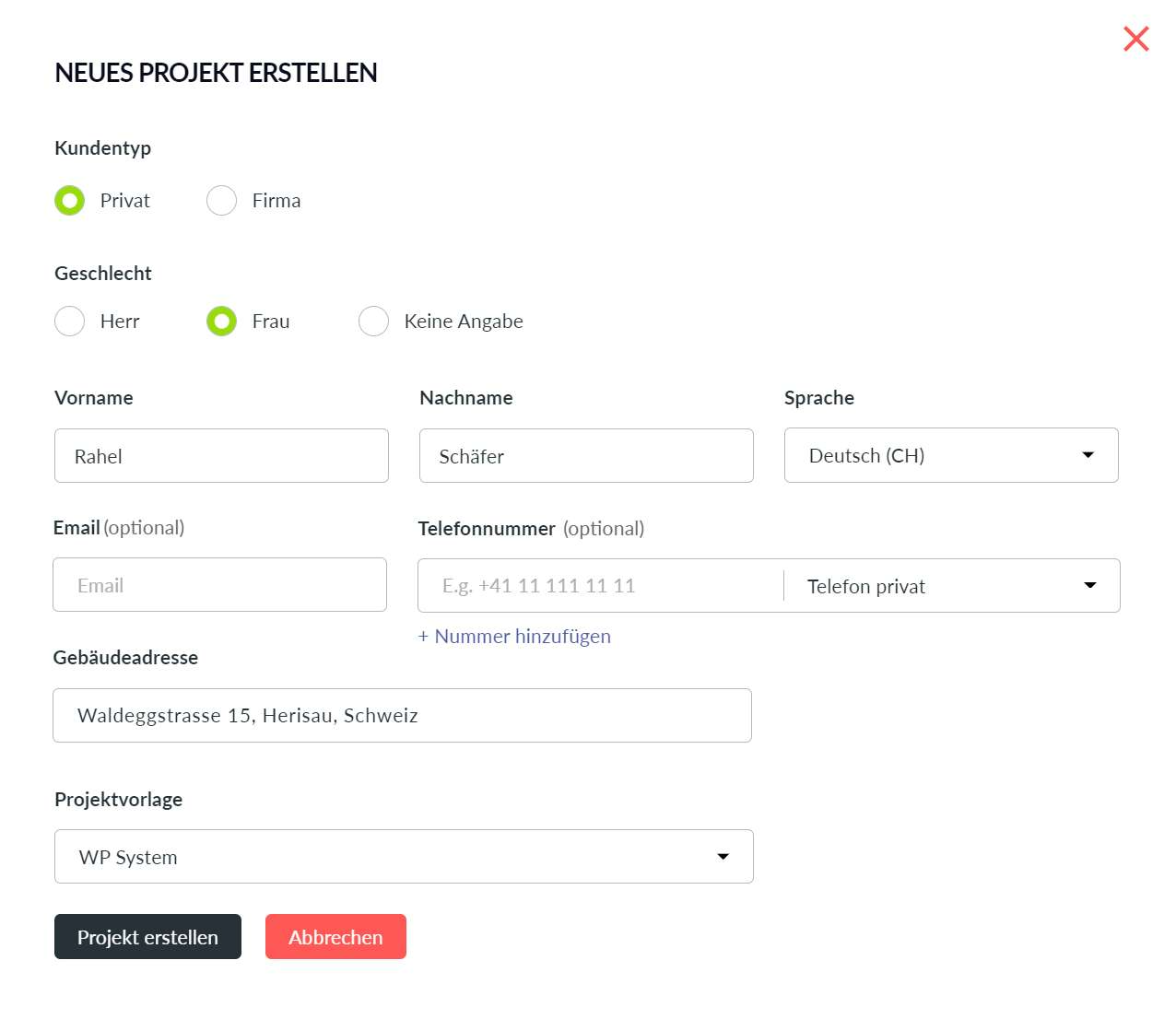
2. A new window pops up and you fill in the relevant customer details, select a project template and click onCreate Project.
3. The year of construction and the energy reference area must be entered under the initial situation of the building.
4. A reference year with the annual consumption must be provided under initial situation heating system.
5. Under Heating system heating, the technology as well as the heat generator manufacturer and type are defined via dropdown.
6. For heat pumps, the annual performance factor (APF) must be updated. The APF quantifies the efficiency of a heat pump heating system averaged over a whole year. It determines the ratio of the amount of heat delivered by the heat pump to the amount of electricity used.
7. Finally, a document such as an indicative offer, a quotation or an order confirmation can be generated under Documents.
8. To overwrite the complete document configuration, click on Replace.
9. Save again and then the document can be previewed or generated and downloaded in the file manager.